PRODUCTION AND MANUFACTURING
CUSTOMISED TO WORK FOR YOUR BUSINESS
Plan jobs or orders, people, machines and other resources (e.g. staff, machines, vehicles) with clear statuses at every step. Desktop-first for fast, reliable scheduling; browser/mobile options for viewing and light updates.
GET AHEAD AND SAVE TIME
PLAN ALL YOUR RESOURCES : Projects, jobs / orders, staff, machines, equipment, activities,
planned vs actual hours, work hours, due dates, statuses, holidays / sick etc.
SCHEDULE EVERTHING
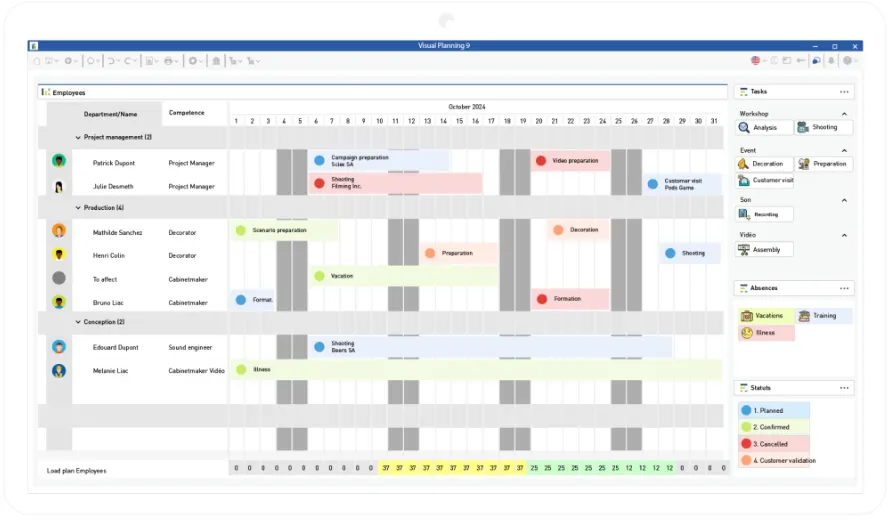
Schedule views are great for 'drag and drop' planning and scheduling. Simply drag resources onto the schedule to plan your jobs, activities, staff .... basically any resource.

WORK IN REAL-TIME
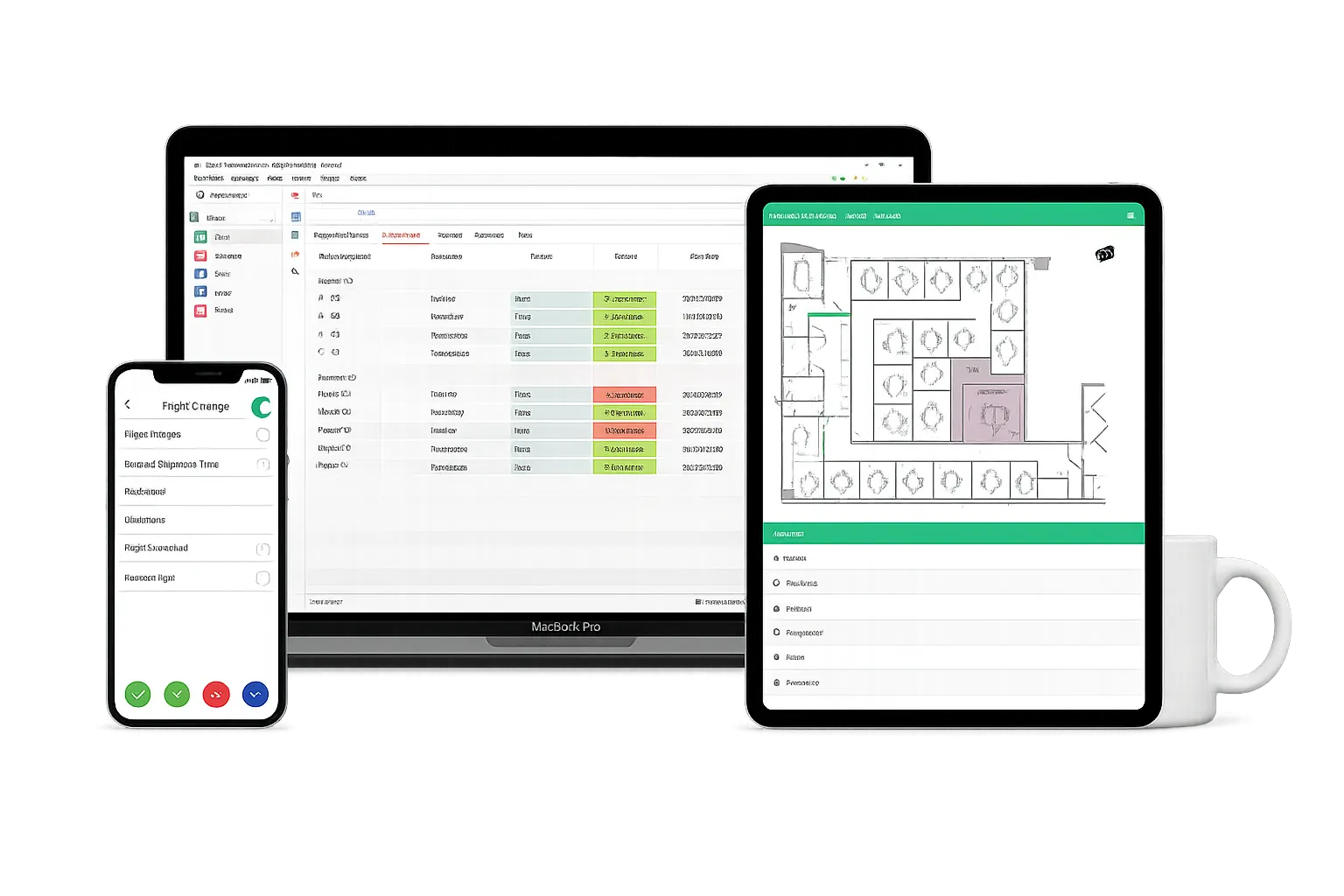
Keep all views up to date and view in real time on PC/Tablet/Mobile, wherever you are. Information can be accessed by multiple users at the same time.
LEVERAGE YOUR DATA
Use your data to keep on top of all activities and events. View in a format that works for you, see what you want to and need to see.
Create reports, filters and automations to simplify work and integrate with existing platforms.
FOR BUILDING AND CONSTRUCTION
TYPICAL SCENARIOS
Assign and Plan Jobs → Machines → Staff
Match work to capacity; avoid double-booking
Monitor changeovers and maintenance work
Plan setup and downtime to maximise efficiencies
Plan using 'templates' to simplify setting up multi-phase work.
Track batches, prep work, Q&A and dispatch
View bottlenecks and capacity planning rapidly and
in advance to minime stoppages and duplication of effort
Apply rules and constraints to staff and machines
to apply skills, times (per job, per machine, holidays, etc.)
Integrate with ERP, MRP, Accounts Platforms.
Use either Import / Export, or, the Open API
JOBS / ORDERS
Store as much and any information you need, such as times to complete, dates, clients, etc. View in custom editors.
VIEW WORKLOADS
Monitor utilisation, blockages with visual and numerical workloads. Present in the format that works for you.
MAINTENANCE
Plan one-off and routing maintenance works to fit in with orders, holidays and time requirements.
Apply to machines or equipment or assets.
SALES
Let us know how we can help and please email or phone us. We are always happy to talk planning.
MULTIPLE VIEWS
Below are a selection of views that can be customised to suit your business. You don't have to use all these views.
SCHEDULE | KANBAN BOARD | GANTT CHARTS | DIARY VIEW | DASHBOARDS | REPORTING | GEO LOCATION | BLUEPRINT | API DEVELOPMENT
CUSTOMISE
Build views that work for you and your team. Show the relevent information at each stage. Display text, icons and colours to highlight key info (resources and events).
WORKFLOW
We build out your new planner to improve your existing workflow and process views. The aim is to speed up, simplify and improve your workflow.
FOCUS
Focussing on just the relevent data helps to speed up work and improve planning. Saving time throughout the workflow also allows more time to actually plan and schedule.
ONE SOLUTION, MULTIPLE VIEWS
Provide each user and groups of users, with views that work for them.
Show them the information they need, at each stage of the workflow.

Schedule Views
View tasks, events, or milestones, and make changes as needed.Visual Planning provides you with an overview of the planning process, allowing users to visualize their work and make informed decisions.
Desktop / Browser / Mobile
Works on Laptops/Tablets and iOS and Android for Mobiles.
Kanban Boards
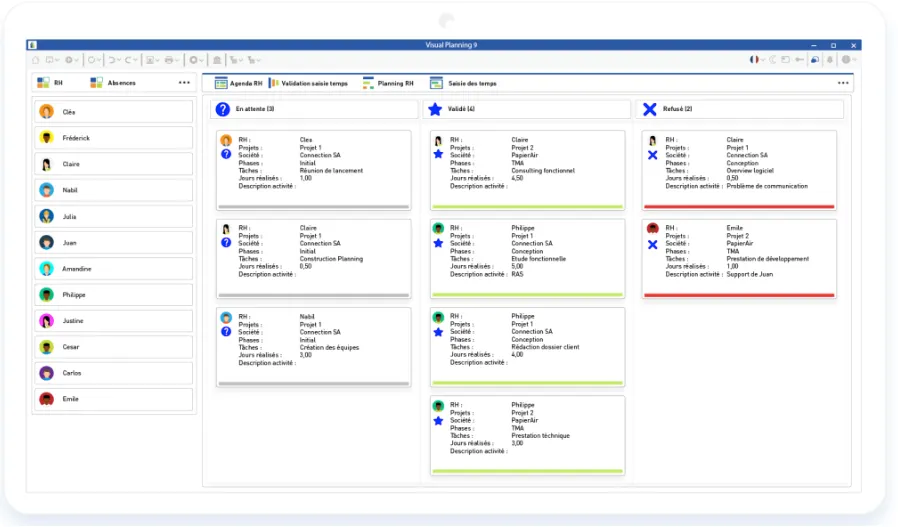
Using Kanban view in Visual Planning is important because it provides a visual representation of the workflow, promotes collaboration and flexible planning, supports continous improvement, and facilitates visual project management.

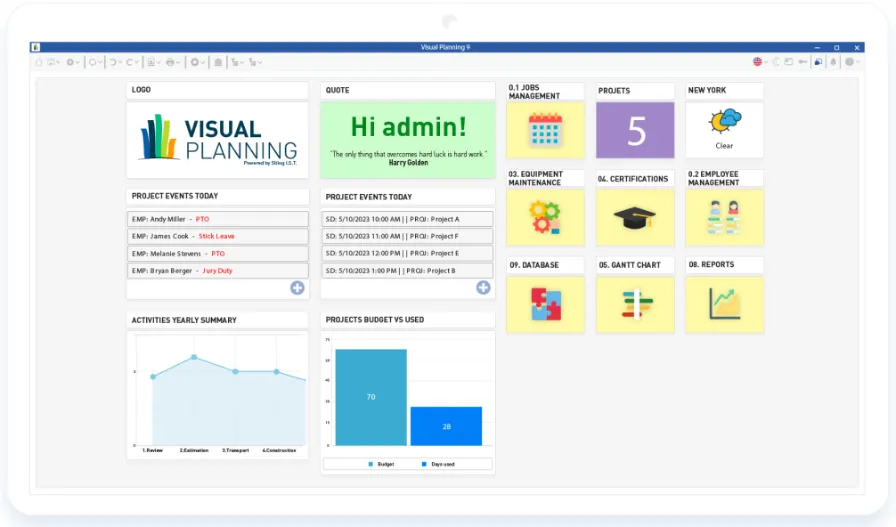
Dashboards
Visual Planning’ Dashboard increase your work productivity by providing real-time data visualization, tracking progress towards goals, monitoring key metrics, and facilitating collaboration and decision-making.
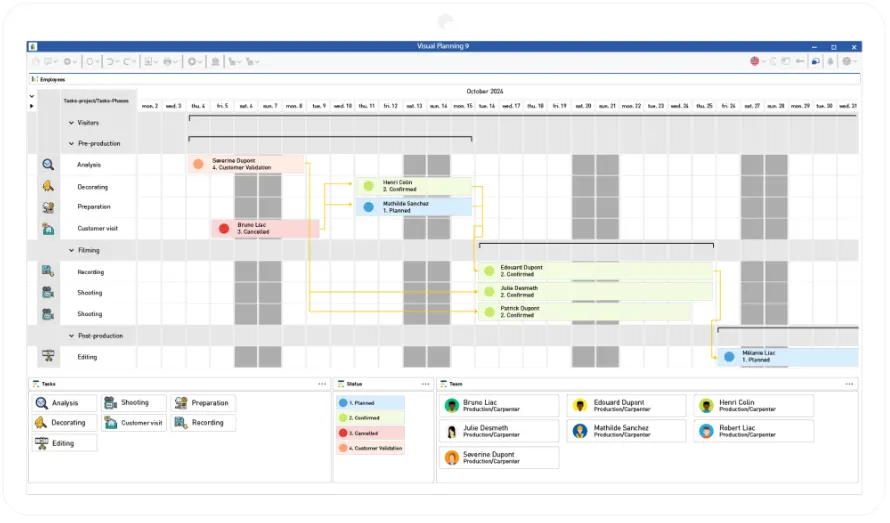
Gantt Charts
Plan, track and communicate project schedules.Visual Planning GANTT view provides a visual representation of the project timeline and helps project managers to manage tasks, dependencies, and milestones.
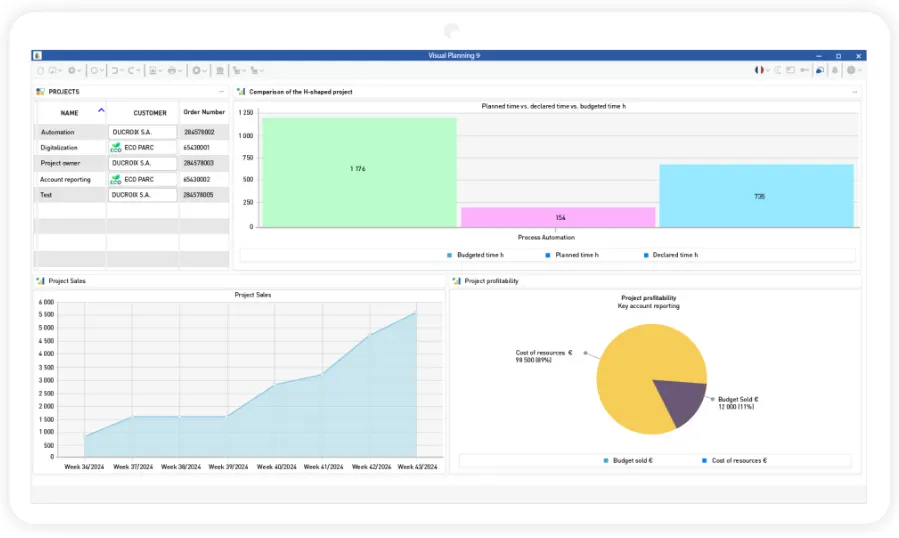
Reports & B.I.
This feature enables you to create a view that brings together all your company’s performance information (production times, sales targets achieved, resource load plan, etc.), with the aim of better managing your resources and your business.
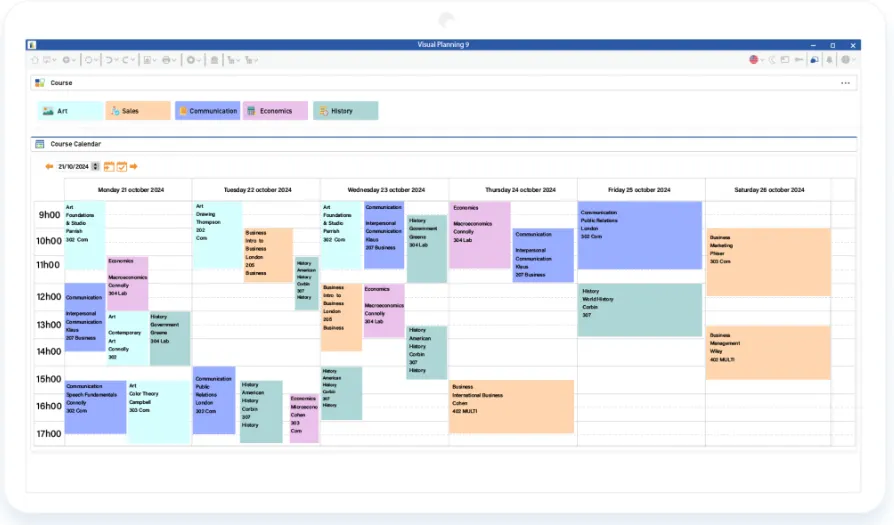
Agenda View
Visual Planning’ agenda view is designed to provide a quick and easy way for users to view their upcoming schedule, making it easier to plan and prioritize their work. Users can quickly scan the list to see what they have planned for the day, week, or month, and make changes as needed.
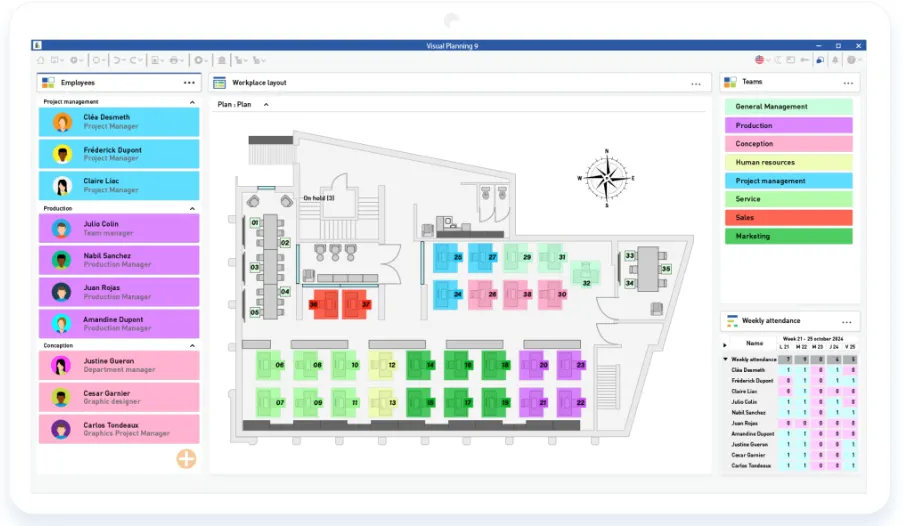
Blueprint
Blueprint view offers a clear overview of the project structure. This helps users to easily understand how the project is organized, including its hierarchical structrure, subtasks, and dependencies.
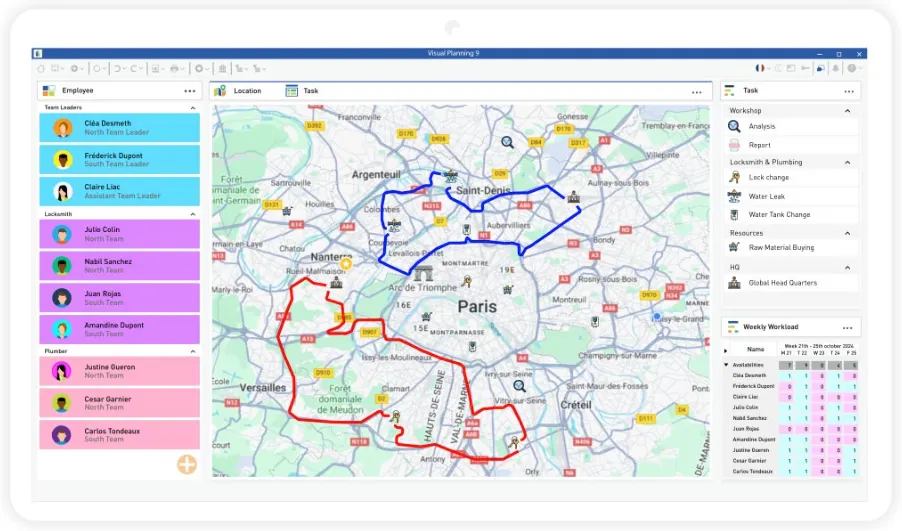
Geo Location
Geolocate and trace your resources from maps integrated into your planning software to optimize resource assignments based on distance and resource location criteria. The aim will be to schedule tasks for greater efficiency and productivity.
Automation
Discover VPAutomation, the flagship feature of Visual Planning 9 that will revolutionize the way you manage your schedules. VPAutomation will take care of scheduling and auto-assignment to optimize your productivity!

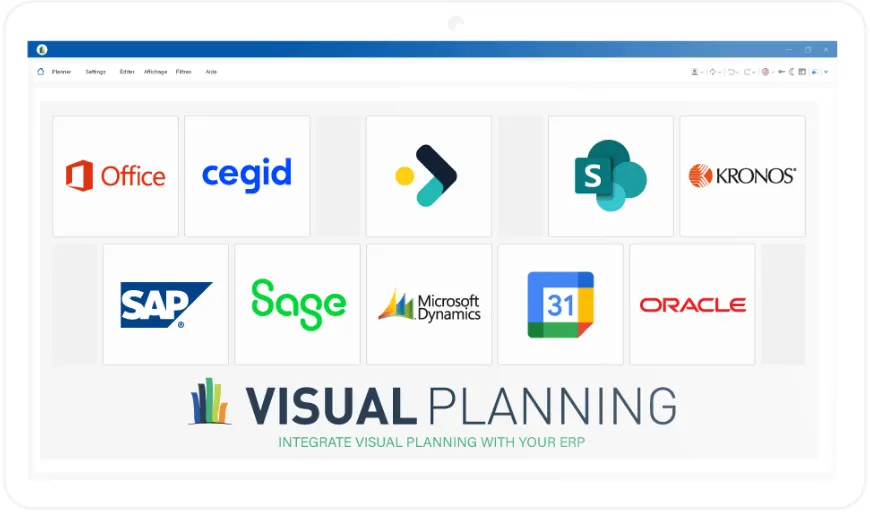
Integration and Open API
Thanks to REST and SOAP API formats, you can customize your interfaces, automate functions, create webviews or interface between your other software, so that your software perfectly matches your needs. Our customized solutions, designed by our teams, ensure complete management of your activities, while taking advantage of the functionalities specific to your sector, all from a single point of contact.
Explore our sample integrations to discover how our customers have optimized their business processes. Whether you’re looking to centralize heavy production, simplify business planning or streamline sales operations by enabling your tools to communicate, our APIs offer tailor-made solutions for every use case!
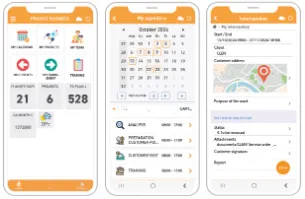
VP Go (iOS & Android)
VPGo, Visual Planning’s mobile application, makes resource and task management accessible wherever you are. This application enables your staff, customers and partners to consult and modify schedules in real time, promoting collaboration and team coordination.Whether you’re in the construction or manufacturing sectors, VPGo is the ideal solution for optimizing the management of interventions, organizing worksites, time tracking or communicating with your teams!
SEE HOW 6,000+ COMPANIES
PLAN THEIR RESOURCES
Over the last 14 years we have worked with companies in over 85 countries.


OAKFIELD SOFTWARE